Editing an existing VoiceThread
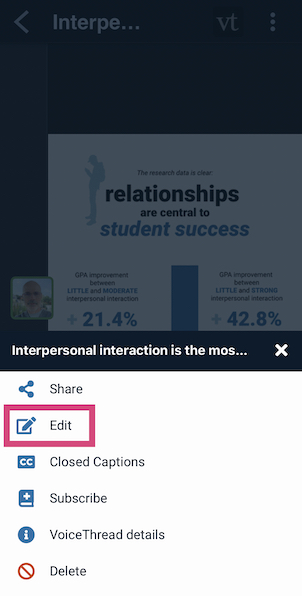
The editing page is where you can make any changes to your VoiceThread, including adding or removing slides and adjusting its settings. To access the edit page:
- Open the VoiceThread.
- Tap on the menu icon in the top-right corner.
- Tap on “Edit”.
- Add slides just as you normally would.